Plan the work.
Share it live.
Get paid.
Clientfolk runs your client work in one place: projects and tasks, shared documents, quotes and invoices, for your whole organization. Your clients follow progress live, and you always know what is due and what has been paid.
Built for client work.
Not for enterprise overhead.
Most businesses that serve clients juggle a project tool, a shared drive, an invoicing app and a long email thread. Clientfolk replaces that stack with one workspace designed for freelancers and small agencies: plan the work, share files, bill for it and see what is outstanding, without paying for another seat for every client you invite.
Every client in one workspace
Clients, their projects, the people involved and the money owed, organized in one place instead of spread across chats, spreadsheets and inboxes.
Tasks that move in real time
Sections, assignees, due dates, P1 to P3 priorities and statuses from Not started to Done. Every change appears for everyone on the project at once.
Documents shared with clients
A folder for every client and project, created for you. Briefs, contracts and designs live next to the work, visible only to the people you invite.
Quotes and invoices
Numbered quotes that convert into invoices, partial payments, overdue tracking and clean PDFs, all linked to the client and project they belong to.
From first client to paid invoice in five steps
No setup calls and no training. Create your organization, add your billing details once, and you are working with your first client in minutes. See every step in detail.
- 01
Add your clients
A name, a contact and billing details. Each client gets its own space and document folder.
- 02
Create a project
Start with ready-made sections or name your own, like Discovery, Design and Launch.
- 03
Plan the work
Tasks with owners, due dates, priority, status, descriptions and files.
- 04
Invite your client
They follow progress live and see only the projects you share with them.
- 05
Quote and invoice
Send a quote, turn it into an invoice and record payments as they arrive.
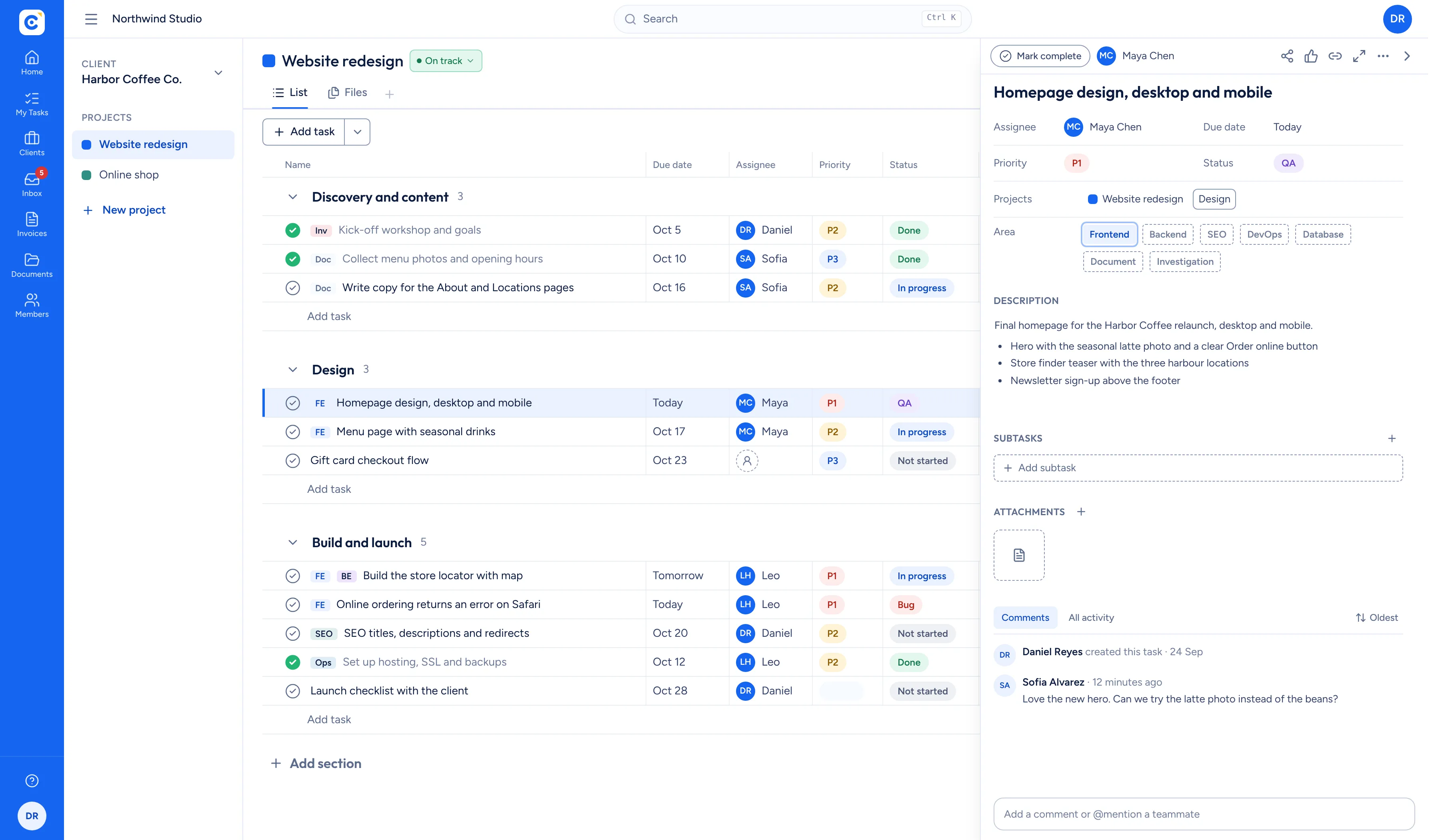
Every task, owner and deadline in one live list.
Break each project into sections and tasks. Give every task an owner, a due date, a priority from P1 to P3 and a status from Not started through QA to Done. Your team and your client work from the same list, and every change appears for everyone the moment it happens.
- Priority and status as clear, sortable columns
- Drag and drop tasks and sections
- Live updates, no refresh and no status emails
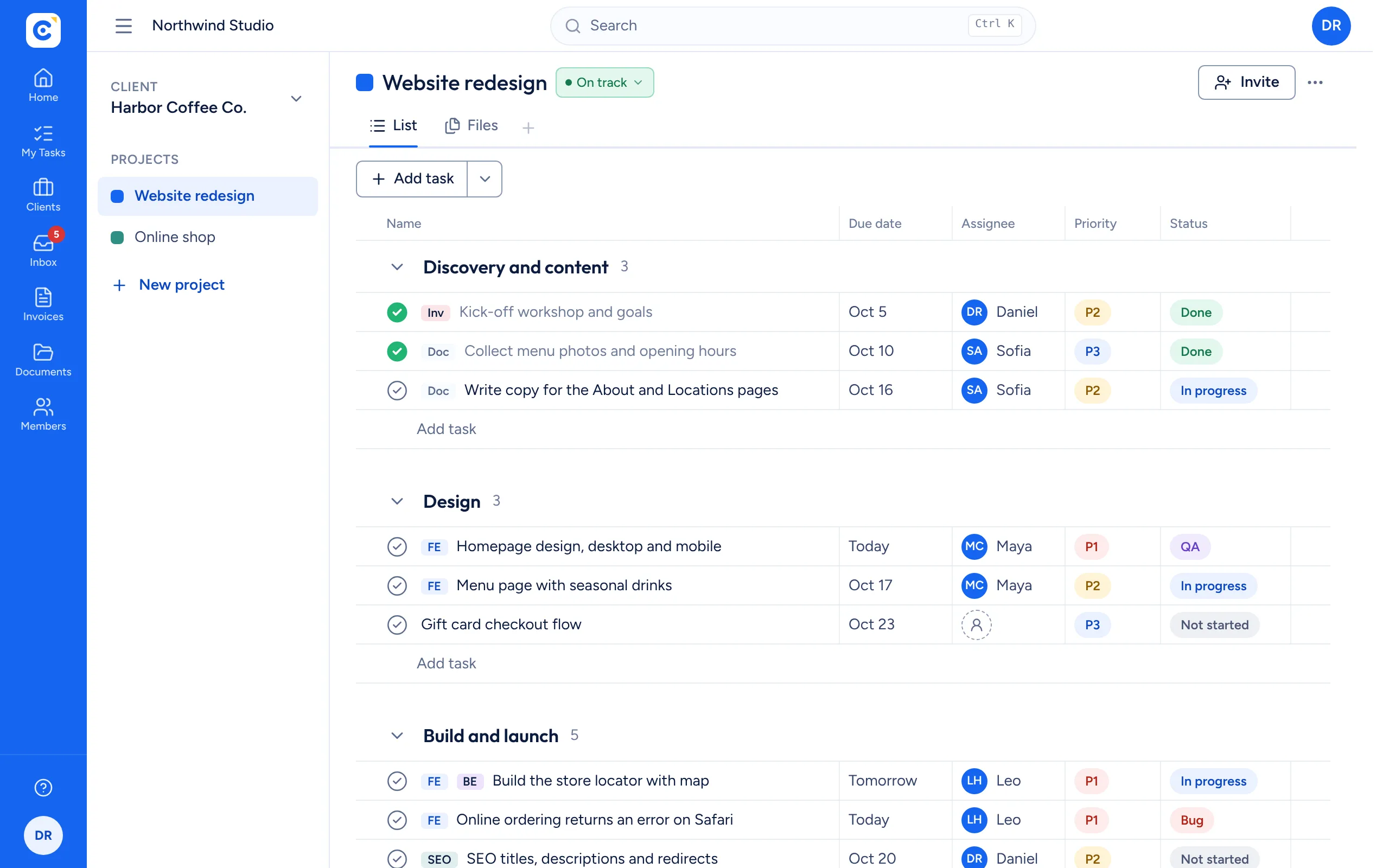
Quotes and invoices next to the work they bill for.
Create numbered quotes and invoices for any client and project, in the currency you agreed. Turn an accepted quote into an invoice in one step, record partial payments and see at a glance what is outstanding, overdue and paid this month.
- Your own numbering, tax rate and payment terms
- Partial payments and balance tracking
- Professional PDFs with your business details
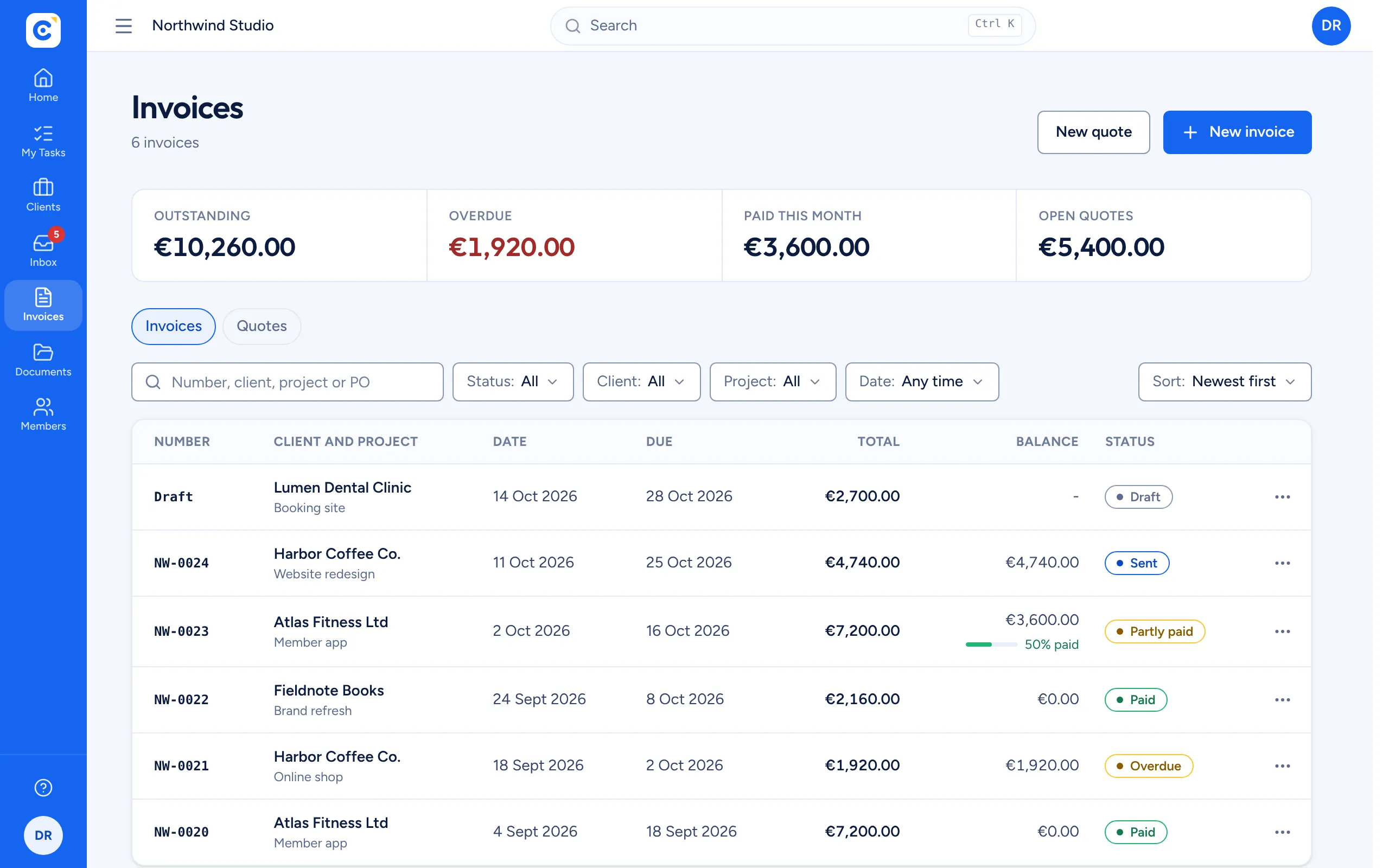
A document library that organizes itself.
Every client and project gets its own folder automatically. Upload briefs, contracts and designs, preview them in the browser and move them between folders. Clients see the folders of the projects they are invited to, and billing files stay with admins.
- Folders per client and per project, created for you
- Preview PDFs, images, video and text in place
- Quotes and invoices kept in an admin-only folder
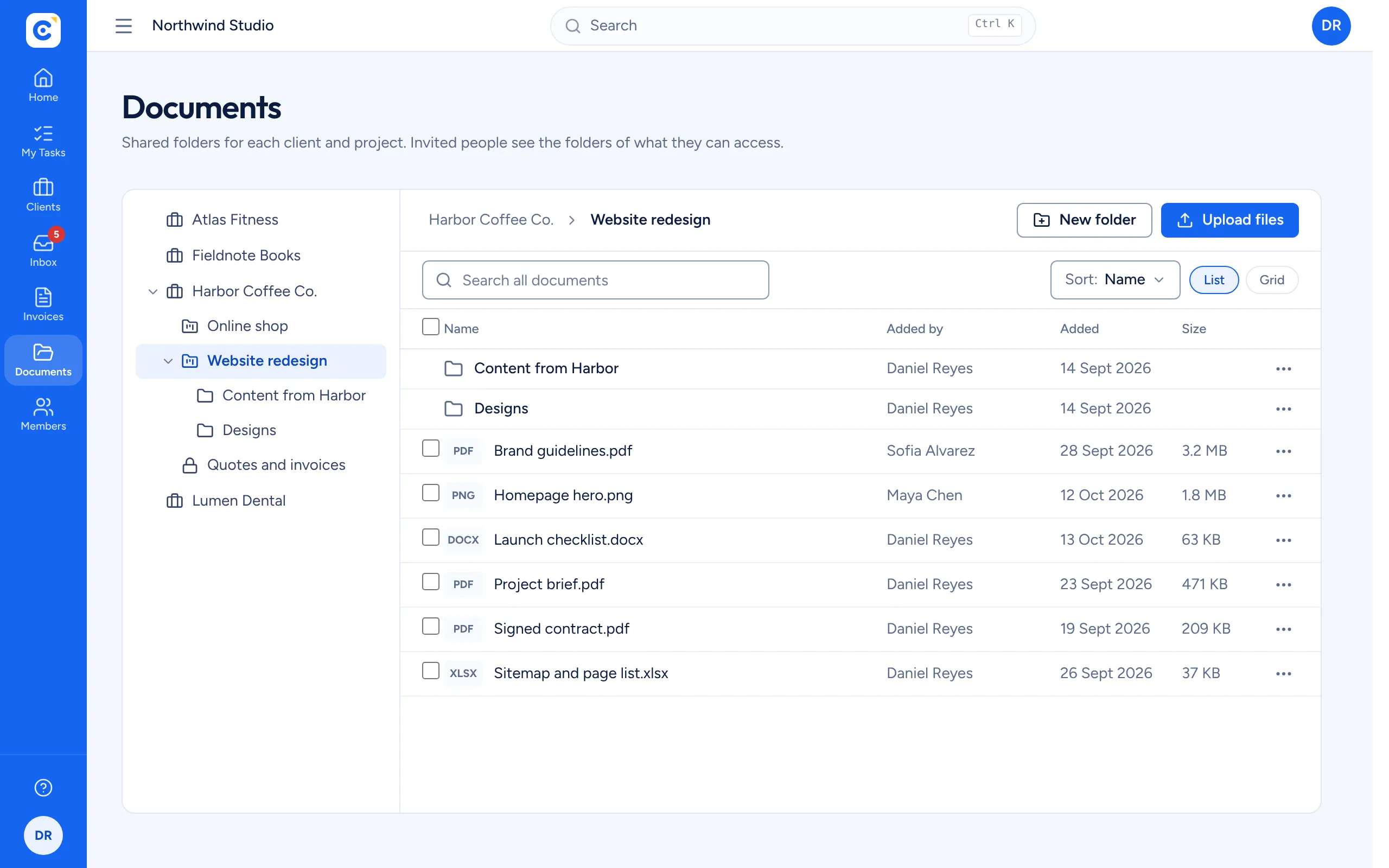
Share exactly what you mean to.
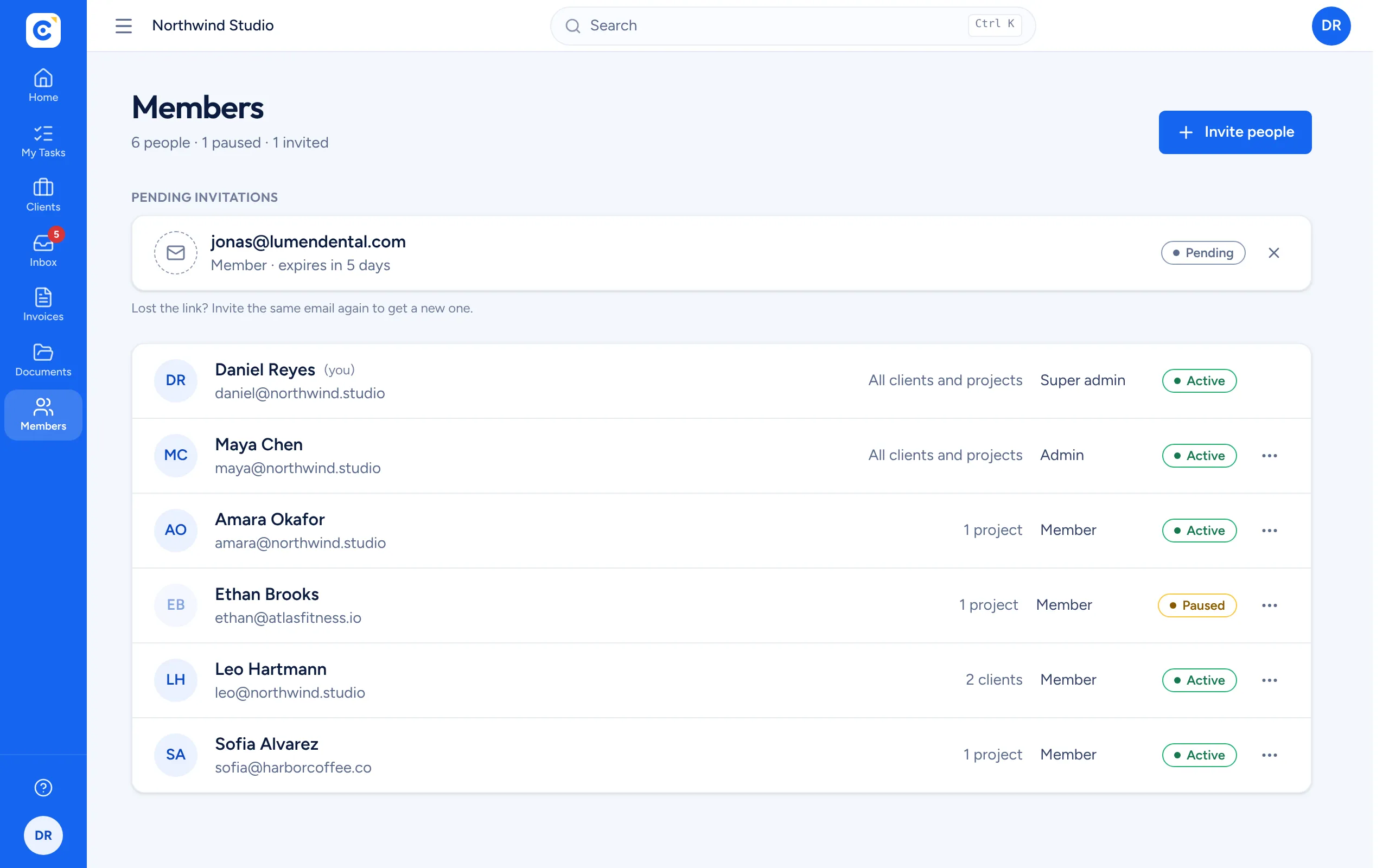
Run your organization with owners, admins and members, and decide who sees what per client or per project. Pause someone or remove their access and it stops at once, even if the project is open on their screen.
- Access per client or per project
- Pause, resume or remove in one click
- Several organizations under one login
What makes Clientfolk different
| Feature | Clientfolk | Spreadsheets and email | Large project tools |
|---|---|---|---|
| Clients see their work live | Yes | No | With paid seats |
| Access per client or per project | Yes | No | Complex |
| Shared document folders per client | Yes | Separate drive | Partly |
| Quotes and invoices with the work | Yes | Separate app | Add-on |
| Ready in minutes, no training | Yes | Yes | Rarely |
| Price | Free | Free | Per seat |
Give your clients a live view of the work.
Set up your organization, add your first client and share a project today. Free, no card needed.
Get started free